Insights · Web Design
How WordPress Makes Integrating Your CRM Into Your New Website Build Easy
A high-performing website today isn’t just about how it looks—it’s about how it works behind the scenes. For modern businesses, a sleek design paired with smooth automation and efficient user flow is essential. As part of that, managing customer relationships becomes increasingly important. That’s where a CRM (Customer Relationship Management) system steps in—handling everything from client interactions to lead pipelines in one central place. Integrating this system into your website is no longer optional; it’s fundamental.
At Envy Design Co., a trusted Canadian web design agency, we see this every day. We’ve helped brands across Canada supercharge their websites with CRM integrations that simplify operations and amplify results. When we build websites, especially on WordPress, we don’t just stop at great design—we bake in systems that do the heavy lifting behind the scenes. And here’s the good news: integrating a CRM into a WordPress site isn’t nearly as complicated as it sounds. With WordPress’s flexibility and plugin ecosystem, your CRM becomes part of the website’s DNA from day one.
In this blog, we’ll explore why WordPress is the go-to choice for CRM integration and how Envy Design Co.—a leading web design agency in Canada—leverages it to take client websites from functional to phenomenal.
WordPress and CRM Integration: A Perfect Match
WordPress remains a top pick for businesses building or revamping their websites—and it’s not hard to see why. For Canadian companies looking for the perfect blend of design, usability, and functionality, WordPress delivers every time. It’s also incredibly adaptable when it comes to CRM integration.
At Envy Design Co., we’ve built our reputation on knowing how to make WordPress work smarter—not just harder. One of the ways we do that is by connecting it to the most effective CRM platforms out there. Whether it’s syncing customer data, managing sales funnels, or automating marketing tasks, we make sure it all clicks together like a finely tuned machine.
And because WordPress supports a huge range of CRM plugins, our team can tailor integrations for businesses big and small. Our CRM solutions scale alongside your business—so whether you’re launching or leveling up, we’ve got you covered.
Wide Range of CRM Plugins for WordPress
WordPress’s plugin ecosystem is massive—and when it comes to CRM tools, it doesn’t disappoint. The variety and quality of available CRM plugins means we can always find the right fit for our clients’ specific needs. At Envy Design Co., we love turning powerful plugins into seamless systems that enhance operations across the board.
Some of the top CRM plugins we’ve worked with include:
- HubSpot CRM: Ideal for SMBs, this plugin offers lead tracking, email marketing, and automatic sync with WordPress. We’ve used it to help clients capture leads in real time and nurture them through tailored campaigns.
- WP ERP: More than just a CRM, this plugin brings HR, accounting, and project management into the mix. We’ve implemented it for clients who needed an all-in-one business management tool—directly through their site.
- Salesforce Integration for WordPress: For our enterprise-level clients, Salesforce remains a go-to. We’ve integrated it into WordPress builds to power serious lead-gen and customer tracking efforts.
- Zoho CRM: We’ve deployed this extensively for clients who value sales automation and granular lead management—particularly in service-based industries.
- Mailchimp for WordPress: While many think of it as an email tool, it has strong CRM features that we’ve helped clients leverage to drive repeat engagement and increase conversions.
We don’t just plug these in—we fine-tune them, so they work perfectly with your WordPress setup and your business goals.

Simple Integration with Existing WordPress Websites
Here’s where WordPress really shines: adding a CRM to an existing site doesn’t require a full rebuild. At Envy Design Co., we regularly retrofit CRM systems into WordPress websites that have been live for years—and we do it without skipping a beat.
Whether your site is an e-commerce hub, a lead-generation machine, or a polished company portfolio, we make CRM integration painless. Our team handles setup, configuration, and connection with your site’s forms and contact points. We even sync your email platform and lead magnets so every touchpoint works in harmony.
If you’re already using WordPress, we can get your CRM up and running faster than you think—without compromising design, functionality, or user experience.
Automation Features for Increased Efficiency
One of our favourite things about CRM integrations? Automation. At Envy Design Co., we’re automation nerds—and proud of it. We love setting up workflows that free up your time while enhancing customer experience.
Here’s just a taste of what we automate when we integrate CRMs into our clients’ WordPress sites:
- Lead Capture: Automatically pull data from forms and plug it straight into the CRM.
- Email Marketing: Trigger targeted campaigns based on customer behaviour.
- Sales Pipeline: Track and update deal stages without lifting a finger.
- Customer Service: Route inquiries, trigger follow-ups, and manage support—all through automation.
Clients come to us because we don’t just add features—we make them work hard. The CRM automations we build into WordPress sites help drive growth, reduce response times, and improve conversion rates across the board.
Customizable to Fit Specific Business Needs
No two businesses are the same—so why should their CRM setup be? At Envy Design Co., customization is one of our specialties. We don’t believe in one-size-fits-all. Instead, we tailor every CRM integration to match your operations, sales model, and customer lifecycle.
Whether it’s creating custom fields for tracking project stages, integrating with tools like Slack or Trello, or building custom workflows based on real estate leads or e-commerce carts—we’ve done it all.
We work with companies in real estate, retail, SaaS, non-profits, and more. And every time, we craft CRM integrations that actually reflect how they do business—not how the CRM “thinks” they should.
Seamless Integration with Other Tools
A great CRM setup should play nicely with your other tools. That’s why Envy Design Co. makes sure your CRM doesn’t just integrate with WordPress—but also with your email platforms, analytics, payment gateways, and marketing stacks.
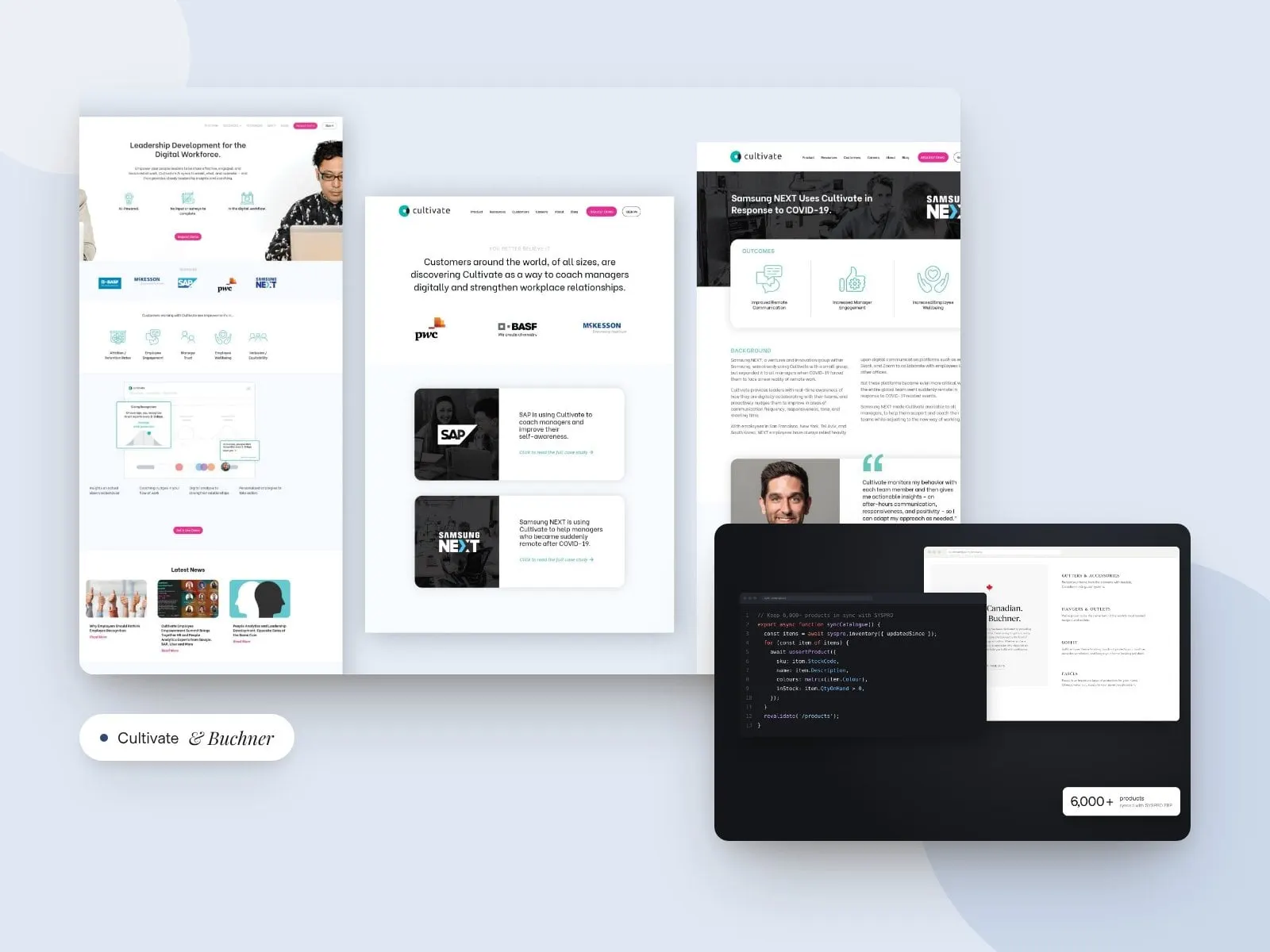
Need Google Analytics hooked into your lead funnel? Done. Want PayPal and Stripe data to flow into your CRM for revenue tracking? We’ve built that. Need Mailchimp, Salesforce, and your booking tool all in sync? That’s our jam. For Buchner Manufacturing, we connected a 6,000+ product website to the company’s SYSPRO ERP.
The end result: a fully connected digital ecosystem that works efficiently—and impresses clients.
Scalability for Growing Businesses
One of the top reasons businesses come to Envy Design Co. is because they’re growing—and they need systems that can grow with them. That’s exactly what our WordPress + CRM solutions are built for.
From startups just starting to capture leads to multi-national businesses needing layered workflows and team permissions, we make sure your CRM setup scales as you do. WordPress’s modular nature means that adding new CRM features or upgrading plans is never disruptive—it’s just smart planning.
And we’re there every step of the way. As your business evolves, we help you evolve your tech stack to match.
Long-Term Benefits of CRM Integration in WordPress
Let’s talk about the long game. When you integrate a CRM into your WordPress site the right way—from the beginning—you set yourself up for years of smoother operations, better data, and stronger customer relationships.
At Envy Design Co., our clients routinely tell us how much more insight and control they have once their CRM is up and running. We’ve seen businesses double customer retention just by leveraging CRM data to personalize outreach. We’ve helped teams cut support load in half by automating follow-ups. And we’ve built dashboards that help leadership make smarter, faster decisions.
WordPress gives us the framework. The CRM provides the functionality. And we bring the experience to make the two work in perfect harmony.
Case Studies: Real-World Examples of CRM Integration with WordPress
Here’s how we’ve done it in the real world:
- A Fast-Growing E-Commerce Brand: We helped a Canadian e-commerce company integrate HubSpot with WordPress to track leads, automate email campaigns, and analyze buying patterns. The result? A 35% boost in conversions and dramatically less manual marketing work.
- A Real Estate Agency: Envy Design Co. integrated Zoho CRM into a real estate firm’s WordPress site, segmenting leads by price range and location. Follow-ups became automated, personalized, and effective. Lead-to-client conversion went up by 40%.
These are just two examples among many. Whether it’s health services, consulting, or retail—we’ve delivered measurable impact with every integration.
Choosing the Right CRM for Your WordPress Site: A Strategic Approach
Picking the right CRM isn’t just about picking the most popular name—it’s about aligning technology with how your business actually operates. At Envy Design Co., we help clients make smart, scalable decisions about their CRM setup based on workflow, team structure, and growth goals.
Here’s what we consider when helping clients select a CRM for their WordPress site:
- Business Size & Sales Cycle: A small service provider doesn’t need the same toolset as a growing e-commerce brand or an enterprise SaaS company. We match CRM functionality with your actual customer journey.
- Team Capabilities: Some CRMs are plug-and-play. Others require training, time, and internal adoption. We recommend tools based on how your team works—and what they’ll actually use.
- Integration Potential: We look at what other systems you use—accounting, email, project management—and ensure the CRM will connect cleanly with those platforms through your WordPress site.
- Budget & Licensing: From free CRMs like HubSpot to high-powered platforms like Salesforce, we help clients balance features with financial reality.
- Data Reporting & Insights: If leadership needs dashboards, sales needs pipeline views, and marketing needs segmentation, we recommend CRMs that can pull their weight across departments.
This consultative approach is part of what sets Envy Design Co. apart as a Canada web design leader that’s deeply strategic—not just technical.
Conclusion: Let’s Build Something That Works as Hard as You Do
Integrating a CRM with your WordPress site isn’t just a smart move—it’s a strategic one that sets your business up for long-term success. With Envy Design Co., a leading Canadian web design agency, guiding the process, it’s seamless, scalable, and built to have a real impact on your bottom line.
In today’s competitive digital landscape, simply having a good-looking website isn’t enough. It needs to serve a purpose beyond aesthetics—it should be a fully functioning business tool that drives leads, enhances service, and grows with you as your business evolves. As a trusted web design agency in Canada, we focus on creating digital solutions that don’t just look amazing but work incredibly well, ensuring your website is always aligned with your business goals.
We’ve seen firsthand how the right CRM setup, expertly integrated into a WordPress framework, transforms business operations. Our clients experience increased efficiency, faster response times, and an enhanced ability to convert leads into loyal customers. They gain a level of control over their operations they didn’t know was possible, giving them the power to make smarter, data-driven decisions. From automating mundane tasks to improving customer outreach, CRM integrations streamline workflows and drive tangible results.
But the real magic happens when all of these pieces come together in harmony. Your website, your CRM, and all of the other business tools you use should work as one cohesive system. This unified ecosystem is what empowers your business to scale and adapt, no matter the size or complexity of your operation. At Envy Design Co., a premier Canada web design firm, we don’t just help you create a beautiful site—we help you build a high-performance, dynamic system that can grow alongside your business, always staying ahead of the curve.
Let’s build something that’s not just visually appealing—but brilliantly effective. Partner with Envy Design Co., a Canadian web design agency with a proven track record of delivering results, and give your business the powerful digital ecosystem it deserves. Whether you’re looking to automate lead capture, enhance customer communication, or increase overall efficiency, we’re here to make it happen.
By integrating a CRM into your WordPress site, you’re investing in a future-proof solution that scales with you. With our expertise in both web design and CRM integration, you can rest assured that every aspect of your website will be working toward your success. Ready to take the next step? Let’s create something exceptional together.
Frequently asked questions
Can I add a CRM to my existing WordPress website?
Yes. Adding a CRM to an existing WordPress site does not require a full rebuild. The CRM can be connected to your existing forms and contact points, and your email platform and lead magnets can be synced so every touchpoint feeds the same system.
That's one of the advantages of WordPress: it's flexible enough to grow with your business. Before connecting anything, it helps to review your current forms and decide what information should flow into the CRM, how leads should be tagged and who on your team needs to be notified. A quick audit can also reveal outdated forms or plugins worth cleaning up. We can help plan and set up a WordPress CRM integration that fits how your team actually works.
Which CRM plugins work with WordPress?
Popular options include HubSpot CRM, WP ERP, Salesforce integrations and Zoho CRM. HubSpot suits many small and mid-sized businesses, Salesforce is common for enterprise teams, and Zoho works well for sales automation in service-based industries.
Most major CRMs offer an official WordPress plugin or a well-supported integration, so connecting them to your website forms is usually straightforward. The bigger decision is which CRM suits your business, since the plugin is just the bridge. When choosing an integration, look at how actively it's maintained, how well it works with your form plugin and whether it supports the data you need to capture. We're happy to recommend options based on your setup.
What can be automated when a CRM is connected to WordPress?
Common automations include capturing form leads directly into the CRM, triggering email campaigns based on customer behaviour, updating sales pipeline stages and routing customer service enquiries and follow-ups.
In plain terms, a connected CRM means fewer copy-and-paste jobs and fewer leads slipping through the cracks. When someone fills out a form on your WordPress website, their details can land in the right place automatically, the right person can be notified and a follow-up email can go out without anyone lifting a finger. Start with a few automations that solve real bottlenecks, test them carefully and build from there as your team gets comfortable.
How do I choose the right CRM for my WordPress site?
Consider your business size and sales cycle, how your team works, which other systems the CRM needs to connect with, your budget and licensing, and the reporting you need. The right CRM is the one that matches how your business actually operates, not simply the most popular name.
It helps to map out your current process first: where leads come from, who follows up, how deals move forward and what you need to report on. Then look for a CRM that supports that process without adding unnecessary complexity. Involve the people who will use it daily, since a CRM nobody updates isn't much help. Once you've chosen, we can handle the WordPress website integration so your forms and data connect cleanly.
Keep reading