Insights · Trades & HVAC
HVAC Service Pages That Rank: How to Structure Pages for Each Service
Your HVAC website can look polished, but if your service pages aren’t structured effectively, it’s like having a beautiful storefront with no signage — visitors walk by without taking action. Service pages are your chance to capture intent, answer questions, and turn visitors into booked jobs.
Homeowners searching for HVAC services aren’t casually browsing; they are stressed and looking for fast, reliable solutions — a furnace failing in a Toronto winter, an AC unit that won’t cool in July, or a heat pump that’s acting up.
High-performing HVAC service pages in Canada require more than content — they need strategy, search engine optimization, local targeting, and user-focused design.
Because search intent varies by region, season, and urgency, effective HVAC service pages in Canada must be structured around real homeowner behaviour and local search data. At Envy Design Co., this means building service pages around Canadian search patterns, seasonal urgency, and conversion-focused layouts — not simply filling out generic templates.
Why Individual Service Pages Matter for HVAC SEO
Many HVAC websites make the mistake of combining all services onto a single page. While easier to manage, this approach limits your ability to rank locally and can leave visitors confused about what you actually offer.
Dedicated service pages allow you to:
- Target specific search intent: Homeowners type exactly what they need, like “furnace repair in Vancouver” or “heat pump installation Toronto.” By having separate pages, each service can rank for relevant local searches.
- Answer questions thoroughly: Each page becomes a mini-guide that explains the service process, timelines, and expectations, building confidence in potential clients.
- Showcase trust signals: Reviews, certifications, warranties, and staff photos can be tailored for each service, giving reassurance exactly where it matters.
Structured service pages improve local search visibility, reduce bounce rates, and turn clicks into real enquiries.
👉 Pro tip: Service pages shouldn’t exist in isolation. They need to be strategically integrated into your site architecture to strengthen local SEO, improve usability, and guide visitors toward action. This structured approach is something we focus on at Envy Design Co., where service hierarchy, internal linking, and user flow are intentionally mapped to increase both rankings and call volume.
Furnace Repair vs AC Installation Page Structure
Every service has unique considerations. The structure and content of each page should reflect the customer’s intent and urgency.
Furnace Repair Pages
- Lead with the problem and solution, helping visitors quickly identify if they’re in the right place.
Example: “Furnace stopped working? We’ll get your home warm again fast.“ - Highlight emergency or same-day service availability, reassuring homeowners who need urgent help.
- Include seasonal context: winter is critical in Canada, so messaging should reflect urgency and reliability.
- Add testimonials or mini-case studies showing how you solved similar problems.
AC Installation Pages
- Focus on system options, energy efficiency, and long-term savings, educating homeowners about their choices.
- Provide financing and payment options, helping visitors overcome hesitation for larger projects.
- Include visual content, such as installation photos, diagrams, or before/after comparisons, making technical services easier to understand.
💡 Tip for HVAC businesses: Keep the next step obvious. Use a clear CTA, like “Book My Furnace Repair” or “Request AC Installation Quote”, so visitors know exactly what to do.
Heat Pump Pages & Local Search Intent
Heat pumps are becoming increasingly popular in Canada, yet many HVAC websites fail to highlight regional relevance. Well-crafted heat pump pages should:
- Explain how climate and location impact performance, helping homeowners understand benefits for their home.
- Include service area mentions to boost local SEO and reassure visitors that you serve their city or neighbourhood.
- Answer common questions:
- “Do I need a hybrid system?”
- “How long does installation take?”
- “Will it reduce my energy bills?”
These pages educate visitors, demonstrate expertise, and increase the likelihood that potential customers will call or book.
On-Page SEO Elements for HVAC Services
Even the best content and visuals won’t perform if your technical SEO is weak. To ensure your service pages rank and convert:
- Keyword-rich headings & subheadings: Integrate terms naturally like HVAC Website Design Canada, HVAC service page SEO, and your specific services.
- Internal linking: Connect related services, blog posts, and your main landing page to help visitors explore your site and boost SEO.
- Schema markup: Implement Service or FAQ schema to help search engines understand your content and show rich results in Google.
- Trust signals: Reviews, certifications, warranties, and staff photos reassure visitors and increase click-to-call rates.
A strong combination of copy, visuals, and technical SEO ensures pages are discoverable, credible, and designed to convert.
Building Service Pages Into Your Site Architecture
Even a great page won’t convert if visitors can’t find it. Service pages should:
- Be accessible from main navigation, footers, and related content.
- Cross-link with related services or blog content to encourage exploration without leaving the site.
- Feature visible, contextually-placed CTAs like “Call Now” or “Get Your Quote Today”.
When service pages are thoughtfully integrated into your site architecture, they guide visitors naturally from curiosity to action while strengthening local SEO. At Envy Design Co., we approach HVAC website structure as a connected system — ensuring each service page supports the others through strategic internal linking, clear navigation, and conversion-focused placement of CTAs.
If your current website feels disconnected or underperforming, refining the underlying service-page structure often unlocks measurable improvements in both visibility and booked jobs.
Pro Tips to Make Your HVAC Service Pages Shine
Even small tweaks can dramatically improve conversions:
1. Lead with the solution
Begin each page with a problem-solution statement to immediately reassure visitors: “Furnace stopped working? We’ll fix it today”.
2. Sprinkle trust signals
Highlight reviews, certifications, and staff photos — these elements build credibility and reduce hesitation.
3. Highlight local relevance
Naturally include service areas: “Serving Toronto, Mississauga, and surrounding Ontario communities”. Local keywords = better search visibility.
4. Clear, clickable CTAs
Buttons should be obvious and playful: “Fix My Furnace Now 🔥” or “Cool Me Down ❄️”. Repeated CTAs increase conversions.
5. Use visual storytelling
Diagrams, photos, and before/after shots help visitors visualize services and outcomes.
6. Optimise for mobile
Many HVAC searches happen on phones. Ensure tap-to-call, scroll-friendly layouts, and fast load times.
💡 Tip for HVAC businesses: Your website should guide visitors naturally to action — clear, fast, and frictionless.
How Envy Design Can Help HVAC Companies
Creating service pages that rank and convert requires experience, strategy, and a deep understanding of customer behaviour. That’s where Envy Design comes in:
- Specialised HVAC Website Design Agency in Canada.
- Build custom service pages optimized for SEO, local search, and conversions.
- Design pages around how homeowners search for services, ensuring clear CTAs, trust signals, and visuals that drive action.
- Seamlessly integrate pages into your site’s architecture for maximum discoverability and usability.
- Provide strategy, copy guidance, and tailored design — not generic templates.
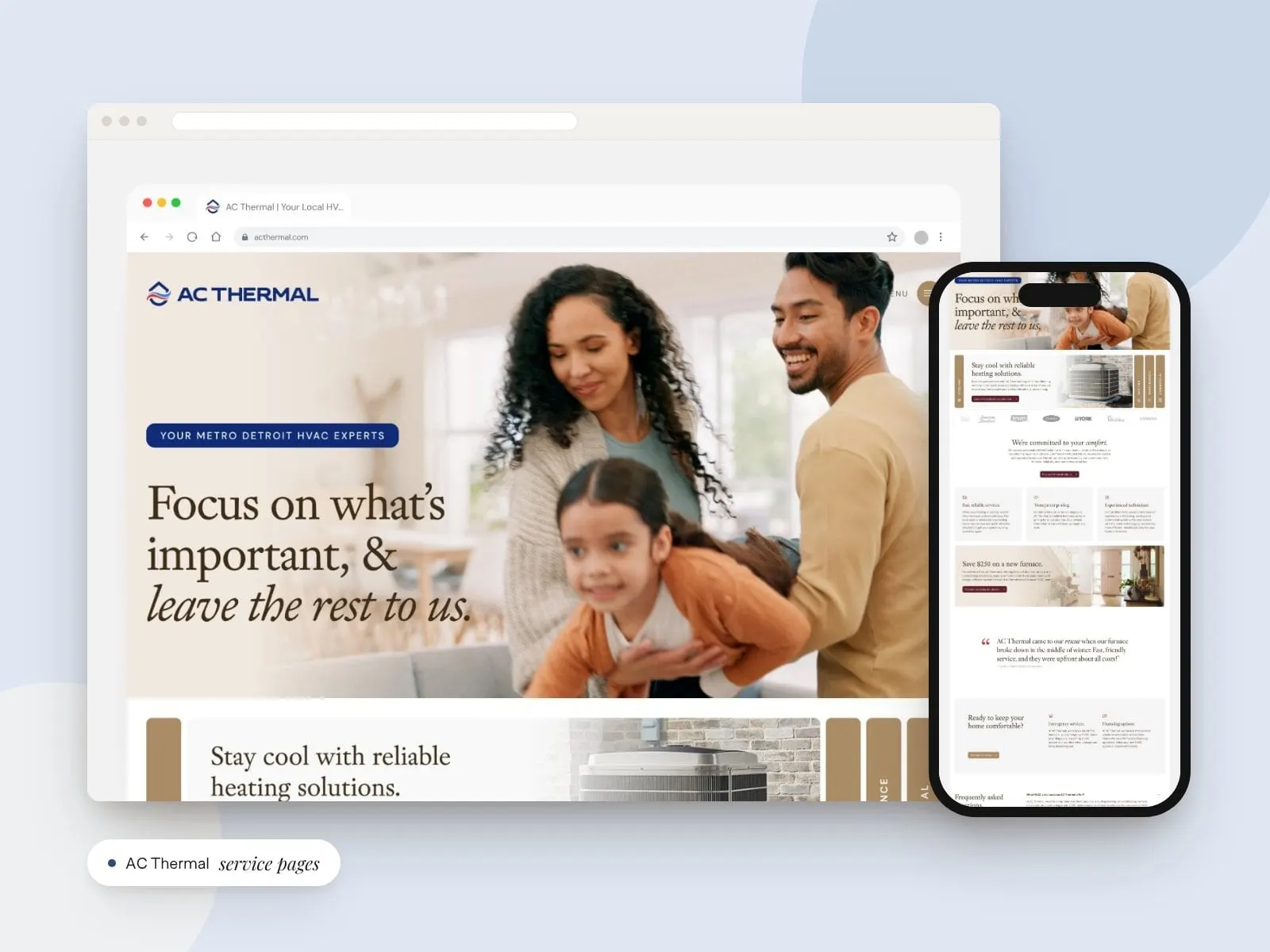
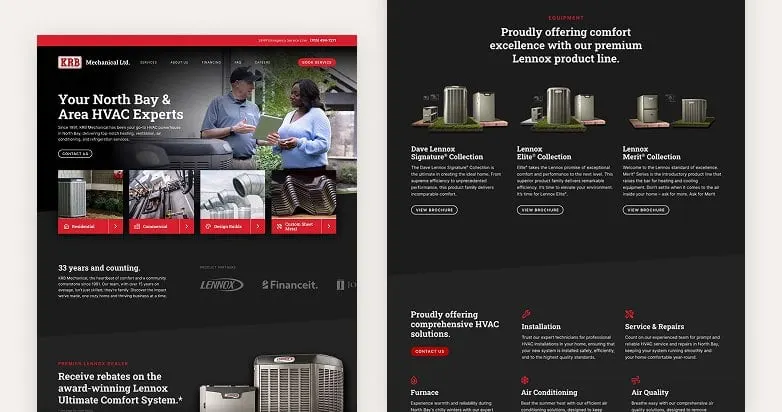
By applying these principles, Envy Design Co. helps HVAC websites work harder, turning clicks into calls, quotes, and booked jobs. For an example of our HVAC work, see the fully custom website we built for AC Thermal, a locally owned HVAC company serving Metro Detroit.
Wrapping It Up
High-performing HVAC service pages aren’t optional — they’re essential for capturing leads and driving conversions. Focus on:
- Clear messaging for each specific service.
- Local intent and service area targeting.
- Trust-building elements like reviews, certifications, and photos.
- Actionable, playful CTAs placed throughout each page.
- SEO best practices and mobile optimization.
By implementing these strategies consistently — aligning clear messaging, local intent, structured SEO, and conversion-focused design — your HVAC service pages can turn browsers into booked jobs. At Envy Design Co., we’ve seen how structured, search-aligned service pages transform HVAC websites from digital brochures into reliable lead-generation systems.
Frequently asked questions
Should each HVAC service have its own page?
Yes. Dedicated pages let each service rank for the specific local searches homeowners make, such as "furnace repair in Vancouver," answer questions about that service in depth, and show trust signals where they matter most.
A single "Services" page that lists everything in a few lines rarely does a good job for anyone. Homeowners searching for a specific fix want to land on a page that speaks directly to their problem, and search engines are better able to match that page to their query. Separate HVAC service pages also let you tailor the call to action, photos and reviews to each service. We plan this structure early in every HVAC website design project so it can grow as you add services.
What should an HVAC furnace repair page include?
Lead with the problem and the solution, highlight emergency or same-day service, reflect the urgency of a Canadian winter, and add testimonials or mini case studies. Finish with a clear CTA like "Book My Furnace Repair."
People rarely browse furnace repair pages for fun. They're usually cold, worried and in a hurry. The page should quickly reassure them that you can help, show how to reach you right away and make your phone number easy to tap on mobile. Common symptoms, what to expect from a visit and the areas you serve are all useful additions. Keep the copy plain and calm, and let reviews from local homeowners do some of the convincing.
How is an AC installation page different from a repair page?
Installation is a considered purchase, so the page should focus on system options, energy efficiency and long-term savings, offer financing and payment options, and use photos, diagrams or before-and-after comparisons to explain the work.
A repair page is about urgency. An installation page is about confidence. Homeowners investing in a new air conditioner will compare options, read reviews and want to understand what they're getting before they commit. Clear explanations, helpful visuals and answers to common questions help them feel ready to request a quote. A softer call to action, like booking an in-home estimate, often fits better than an emergency-style button. We structure AC installation pages to support that longer decision.
What on-page SEO matters most for HVAC service pages?
The essentials are natural keyword-rich headings, internal links between related services and blog posts, Service or FAQ schema markup, and trust signals like reviews and certifications. Pages should also be easy to reach from the main navigation and work well on mobile.
Good HVAC SEO starts with writing for homeowners first. Headings should describe the service and location in plain language, not in awkward keyword strings. Linking related pages, like furnace repair to furnace replacement, helps visitors and search engines understand how your services connect. Fast loading times and a clean mobile layout matter too. When we build HVAC service pages, these on-page SEO basics are part of the template, so every new service page starts on solid ground.
Keep reading